Fieldsign, reimagined.
The trail-camera app that tells you when, where and what to hunt, and shows you exactly why.
Sixteen reasons it's different
- 01Built for speedInstant launch, fluid navigation, and photos the moment you open the app.
- 02AI-first by designEvery photo analyzed, a morning Hunt Brief with the evidence, and plain-words photo search.
- 03Ask it anything, hands-free“Is it a good day to hunt?” Siri on iPhone and Gemini on Android answer from your own cameras.
- 04Talk to the AI in the appA spoken conversation with Fieldsign's AI on the Ask screen.
- 05Rich push notificationsNew detections arrive with the photo right in the notification.
- 06CarPlay and Android AutoDetections, camera status and directions to the stand on the dashboard.
- 07Apple Watch and Wear OSNew photos, camera health and capture on demand from the wrist.
- 08Built for foldablesLayouts adapt to foldable iPhones and Android foldables and use the bigger screen.
- 09Wi-Fi camera prototypeConnects to cameras directly over Wi-Fi, ready to build on.
- 10A complete camera simulatorBluetooth and Wi-Fi features built and tested end to end with no hardware.
- 11Works offlineBriefs, photos and camera details without signal; changes sync when you reconnect.
- 12Offline mapsStands, camera pins, wind guidance and your location with no signal.
- 13One app on web and mobileThe same app in the browser and on iOS and Android, including Bluetooth camera setup.
- 14Consistent on every deviceOne rendering engine: the same look and behavior on every phone.
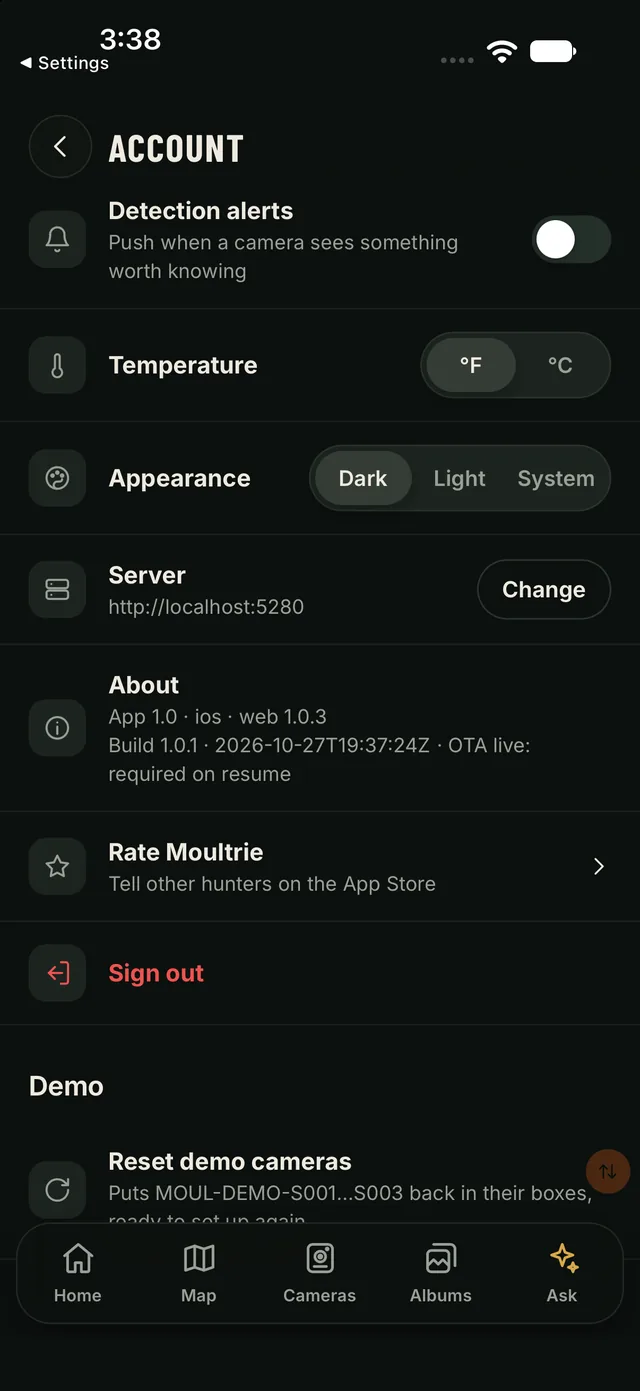
- 15Ship updates in minutes, not weeksUpdates reach iOS and Android users directly, within store rules.
- 16A modern, actor-based cloudMicrosoft Orleans scales efficiently, holds up under load and keeps cost per camera low.
Built for speed
Tabs switch inside a single frame. The photo grid fills before your thumb leaves the glass. The app reads from its on-device store first and fills in from the cloud, so the dawn check in the truck takes seconds, not spinners.
- Tab switch, tap to painted
- 13ms
- Cold start to a live Home
- 2.1s
- Cloud reads, 95th percentile
- ≤11ms
- On-device read
- 5ms
Median on iPhone; 16 ms on Android
Android, photo on screen, debug build
Cached API reads, 10 at once
Home from the offline store, median
Measured October 27, 2026 on the iOS simulator and Android emulator with debug builds; store builds start faster.
AI-first by design
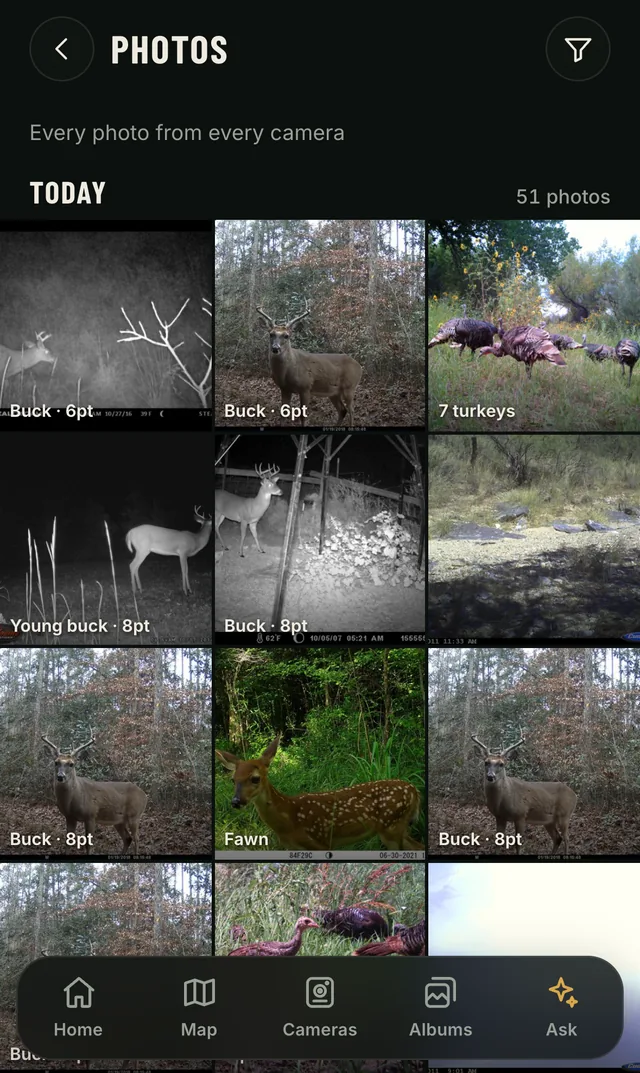
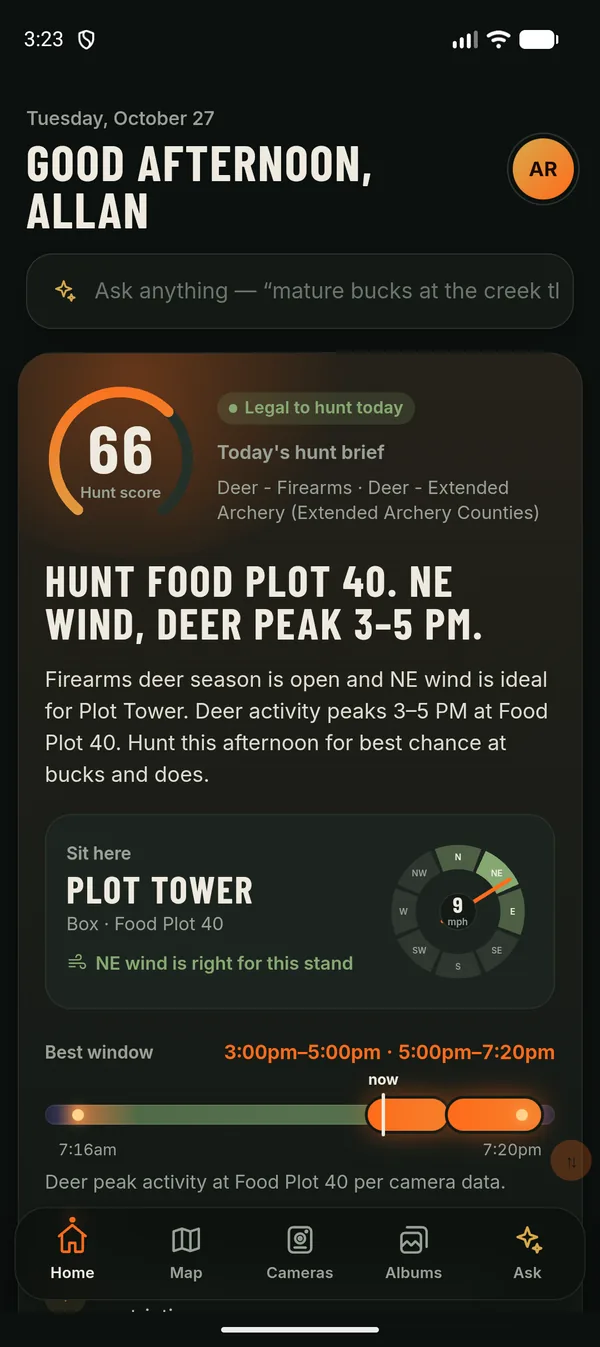
Every photo is analyzed as it lands: species, sex, age, antler points, and whether he's a shooter. Hunters can correct any call.
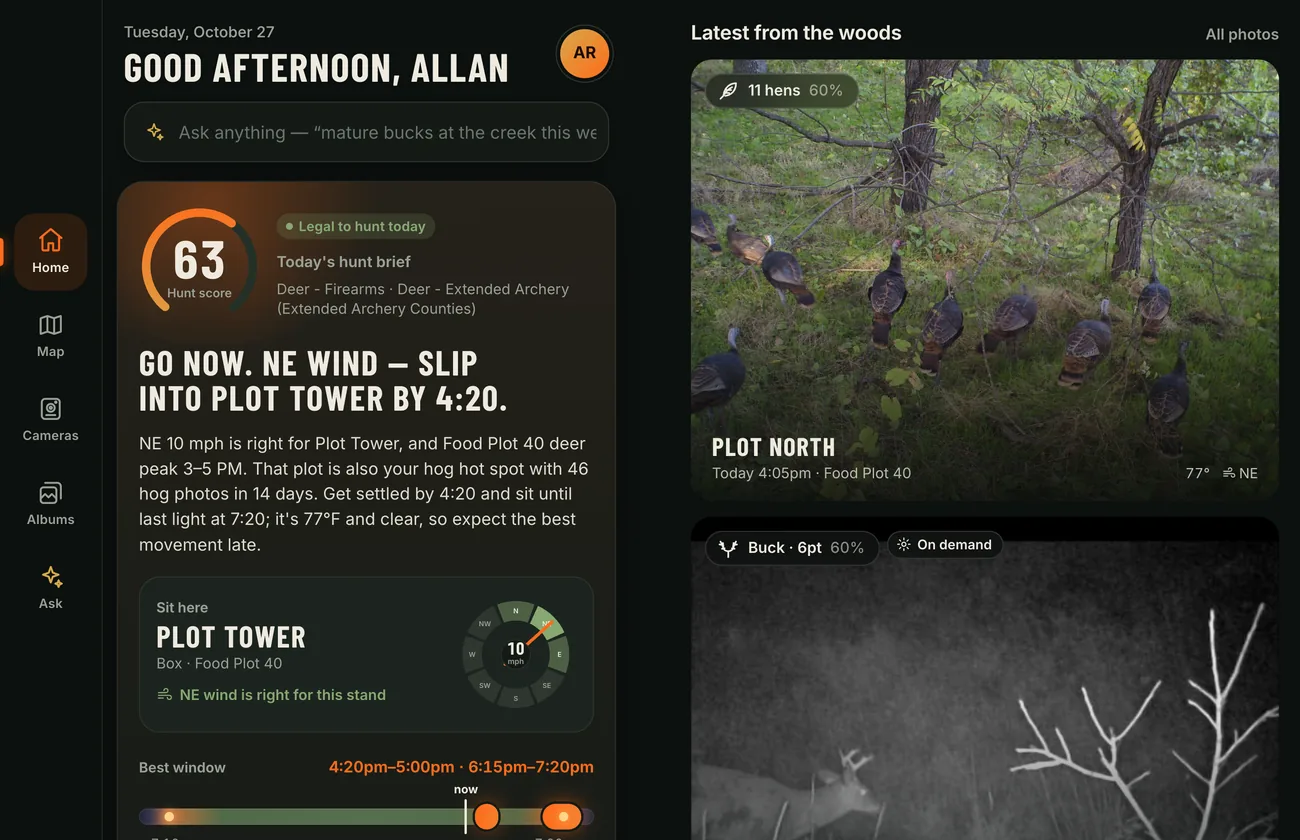
Each morning the Hunt Brief says when, where and what to hunt: whether it's legal today, which stand suits the wind, the best window inside legal light, and what to let walk. Every call has a "Why?" that opens the evidence: the photos, the readings, the season rule.
Powered by Claude, from Anthropic
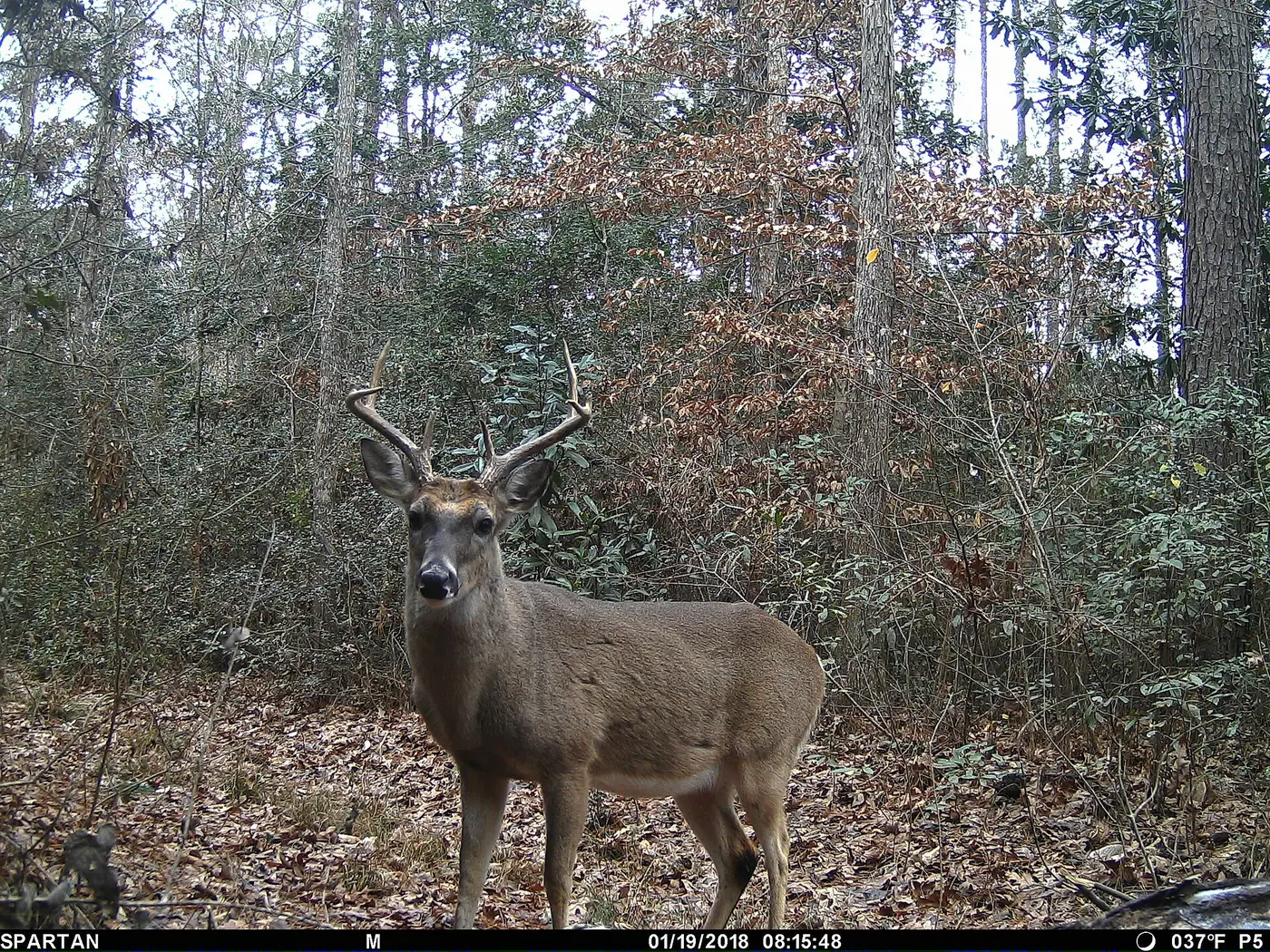 Mature buck · 8pt
Shooter
Legal to hunt today
Go now. NE wind: slip into Plot Tower by 4:20.
Why?
- 3 mature bucks on Food Plot 40 this week, all between 4 and 7 PM
- NE 10 mph carries your scent away from the plot
- Firearms season open · Georgia, either sex
AI photo search
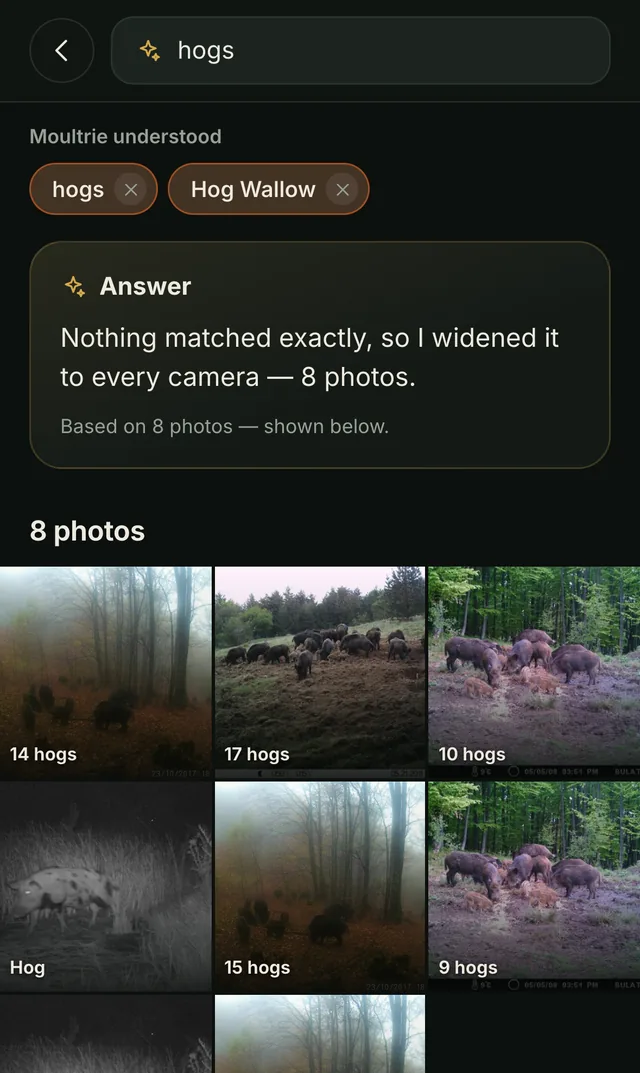
Type "mature bucks after dark" and get exactly those photos. The AI turns plain words into a search across the hunter's own photos, cameras and properties.
- Mature bucks after dark
- Hogs at the creek this week
- Turkeys on Food Plot 40
Ask it anything, hands-free
"Is it a good day to hunt?" Ask Siri on iPhone or Gemini on Android and get a real answer: "Yes, 78 out of 100. Northeast wind favors Plot Tower; best window 4:20 to 7:20."
The answer draws on the Hunt Brief, wind and weather, which stands suit the wind, recent camera activity and the season rules. Hunters can also ask what's moving, check camera health, or take a photo on demand by voice. With no signal, answers come from the last sync and say so.
Verified: shortcuts installed on iOS, and answers checked on the iOS simulator and through Android's function interface on an emulator.
Is it a good day to hunt in Fieldsign?
Fieldsign
Yes, 78 out of 100. Northeast wind favors Plot Tower; best window 4:20 to 7:20.
- "Can I hunt today?"
- "What's moving on my cameras?"
- "How are my cameras?"
- "Take a picture with Fieldsign"
- "Search photos in Fieldsign"
Example answer from the demo account.
Talk to the AI in the app
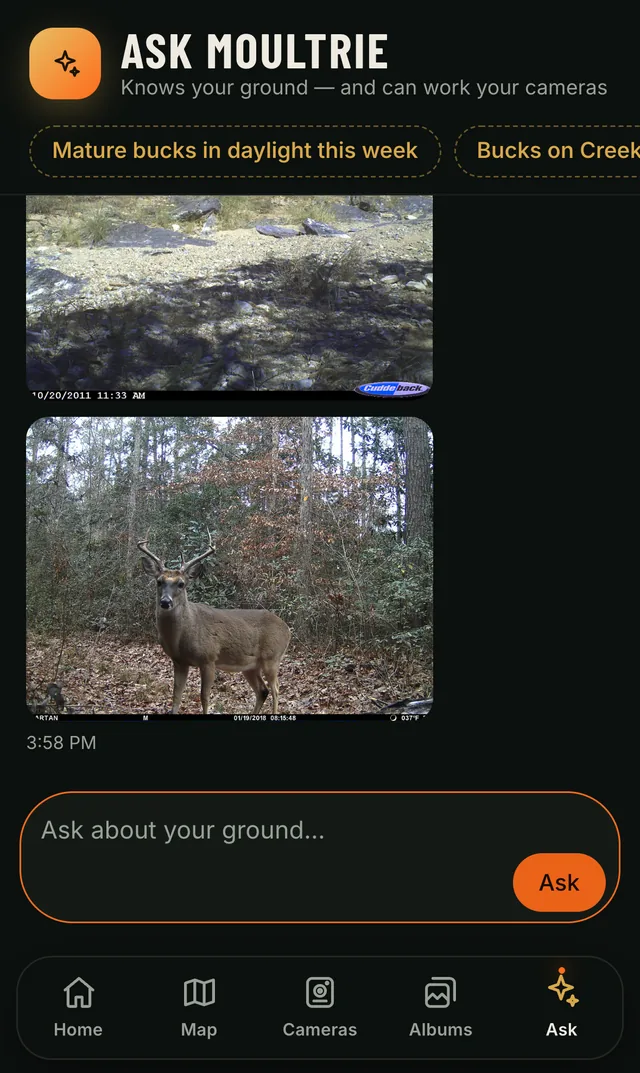
Tap the mic on the Ask screen and talk to Fieldsign's AI like a hunting partner. Speech-to-text and text-to-speech turn it into a spoken conversation.
It knows the hunter's ground, cameras, weather and the regulations, and it can act: "take a picture on the creek cam" fires the real camera and shows the photo when it arrives.
- Where should I sit this evening?
- When is the big 8-point moving?
- How are my cameras?
Rich push notifications
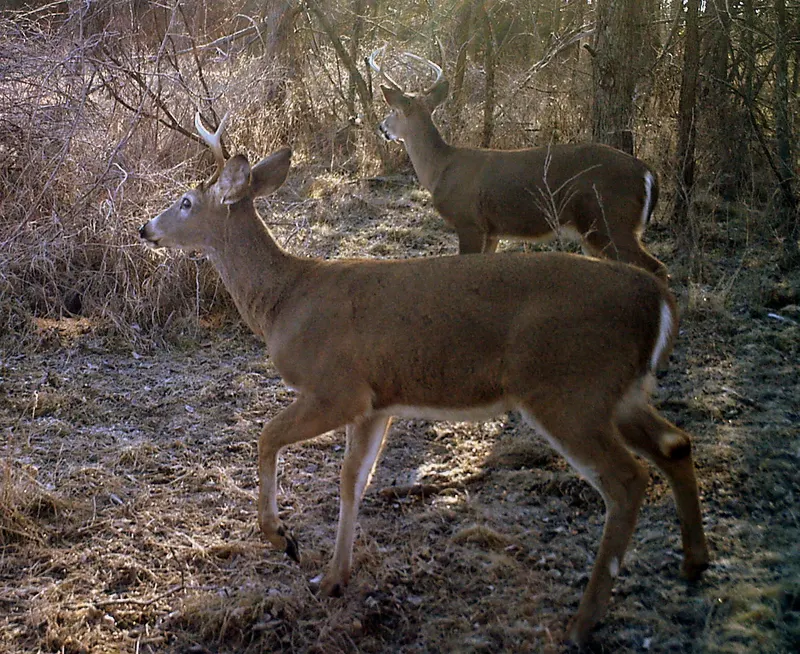
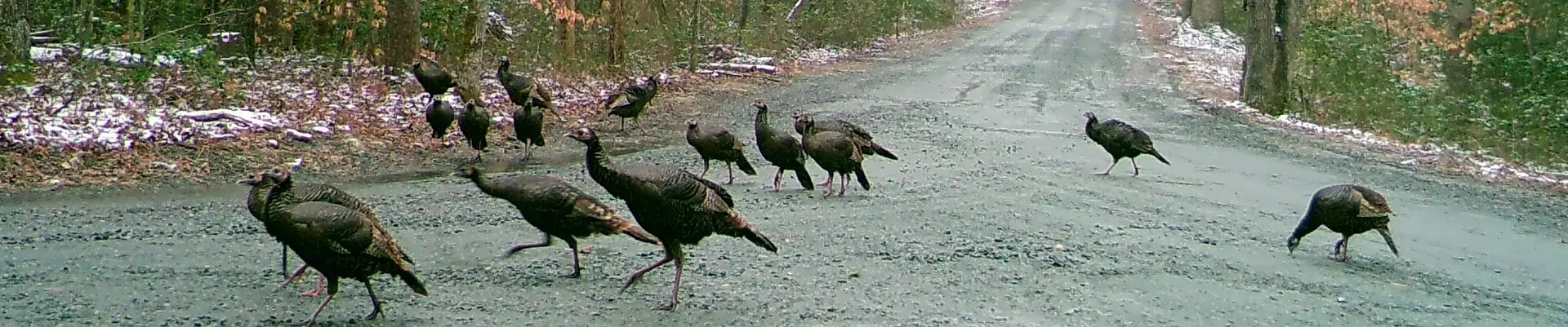
New detections arrive with the photo right in the notification. Hunters see the buck before they unlock the phone, and one tap opens it in the app.
The AI's call travels with it: species, age, antler points and whether he's a shooter, plus which camera saw him.
5:52
Tuesday, October 27
Mature buck · 8pt at Creek Bottom
Shooter. Creek Crossing cam, 5:49 AM. NE wind favors Plot Tower.
7 turkeys · Food Plot North
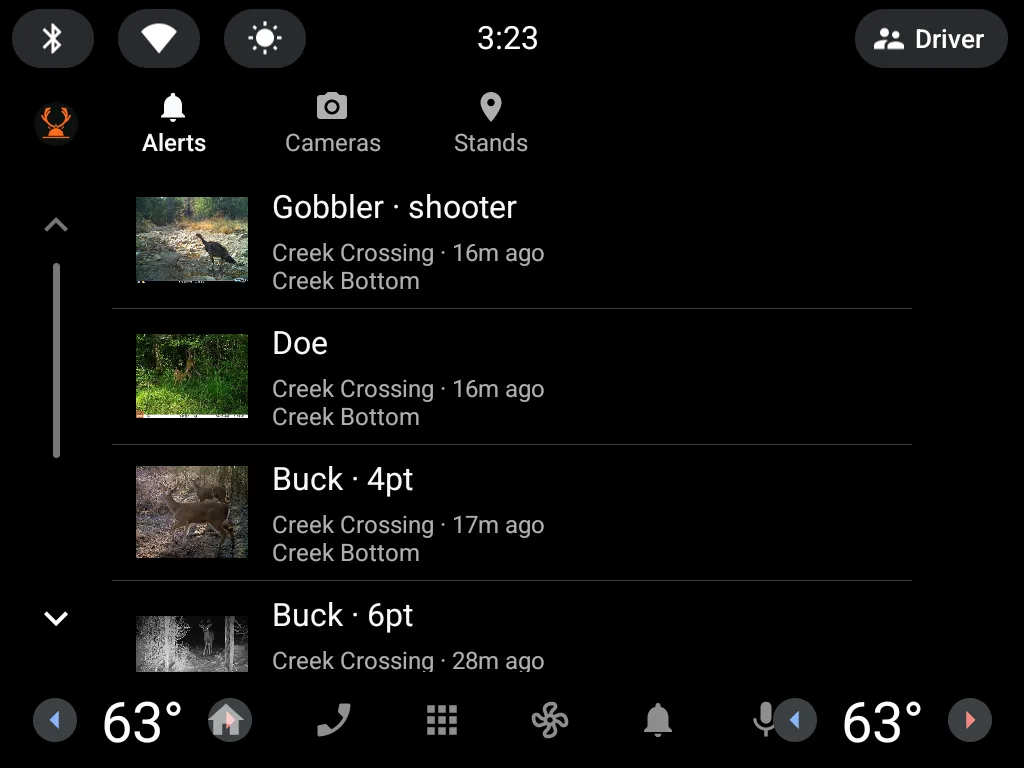
CarPlay and Android Auto
On the drive in: see what moved overnight, check every camera's battery and signal, take a photo on demand, and get directions to the stand, all on the car's screen.
Built from the native car templates drivers already know, so it stays glanceable and simple to use on the road.
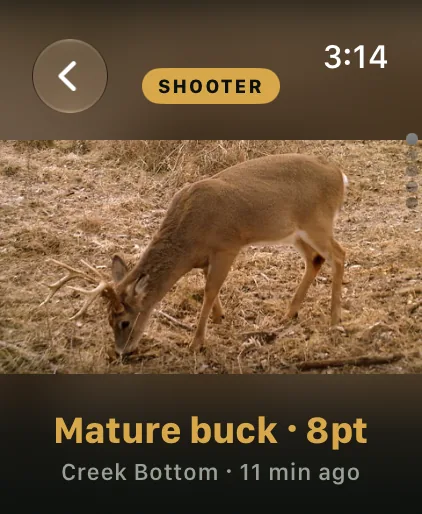
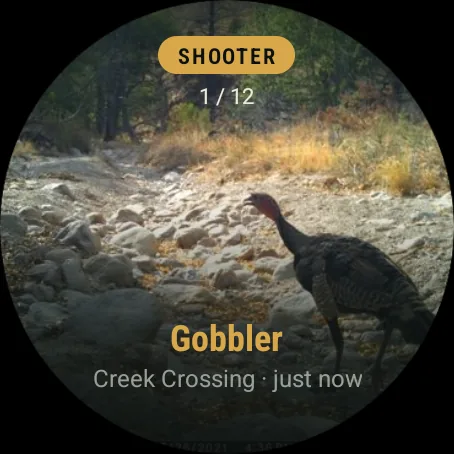
Apple Watch and Wear OS
Detections arrive on the wrist with the photo. Scroll the latest with the Digital Crown or rotary bezel, check a camera, and capture now, without reaching for a phone in the stand.
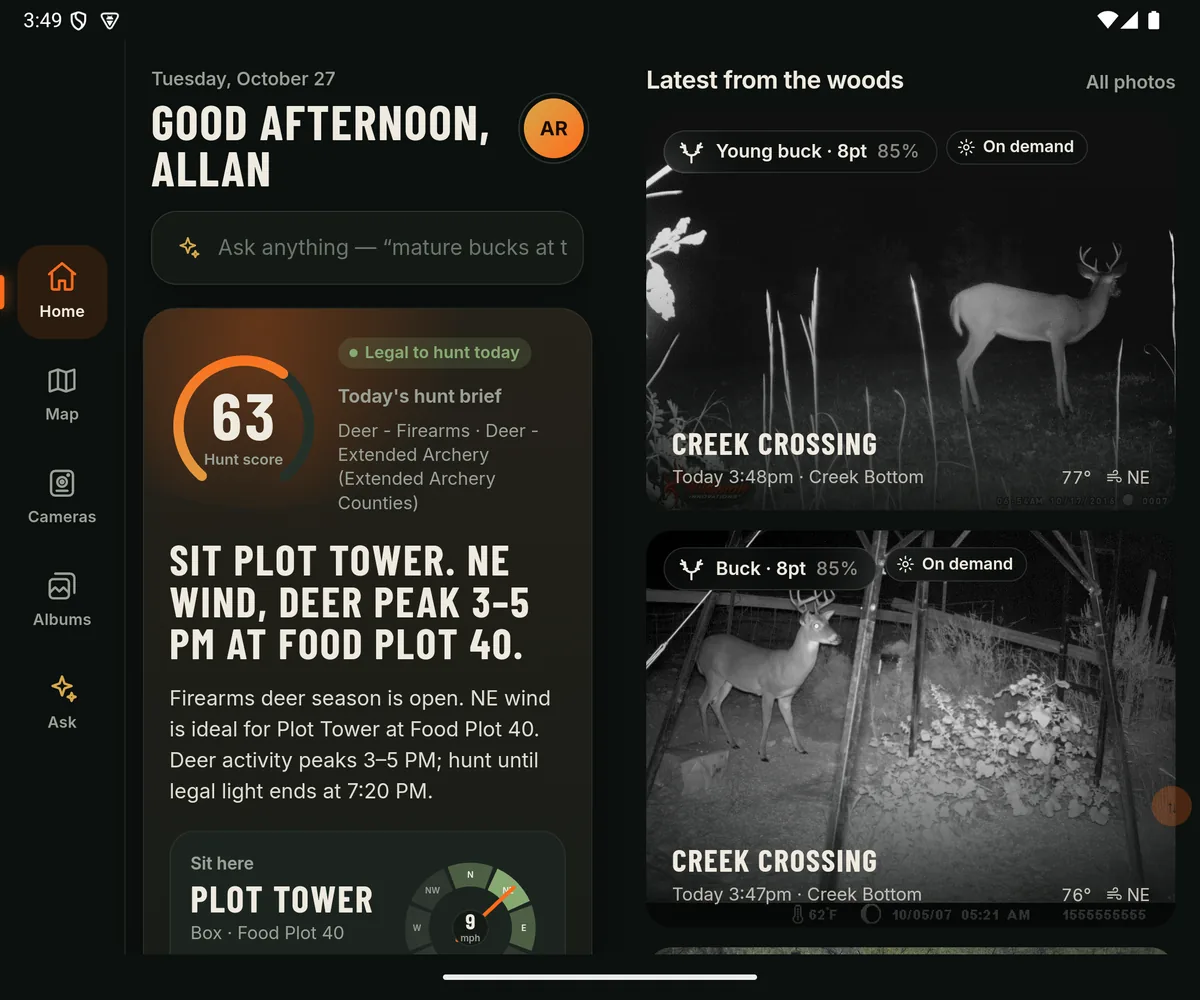
Built for foldables
Layouts adapt to foldable iPhones and Android foldables, and use the larger screen when unfolded: the list opens beside the detail without losing your place.
On dual-screen devices nothing sits across the hinge, and an automated test checks every element to keep it that way.
Wi-Fi camera prototype
A working prototype that connects to cameras directly over Wi-Fi, ready to build on. The app finds cameras on the local network with Bonjour, then talks to each one over a small local HTTP API.
It uses the same setup sheet and the same activation flow as Bluetooth, so a Wi-Fi camera feels no different to the hunter.
A complete camera simulator
Bluetooth and Wi-Fi features are developed and tested end to end with no hardware. A Mac becomes the camera: it advertises over Bluetooth and announces itself on Wi-Fi like the real thing, then checks in, uploads photos and takes capture-now commands.
Product, QA and sales can run the whole story anywhere, and the automated tests use it too.
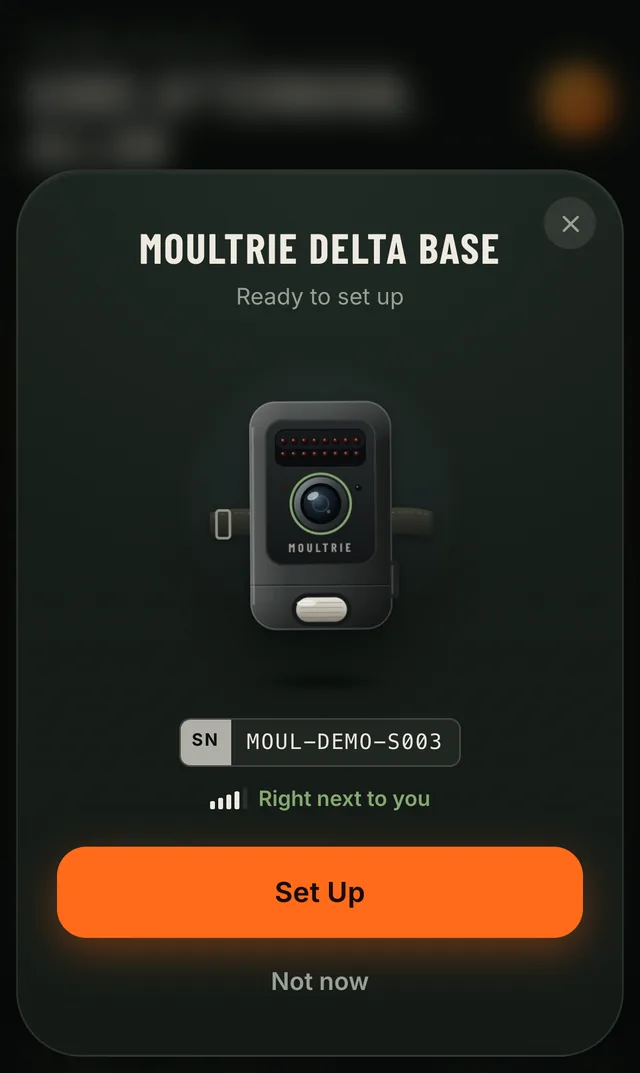
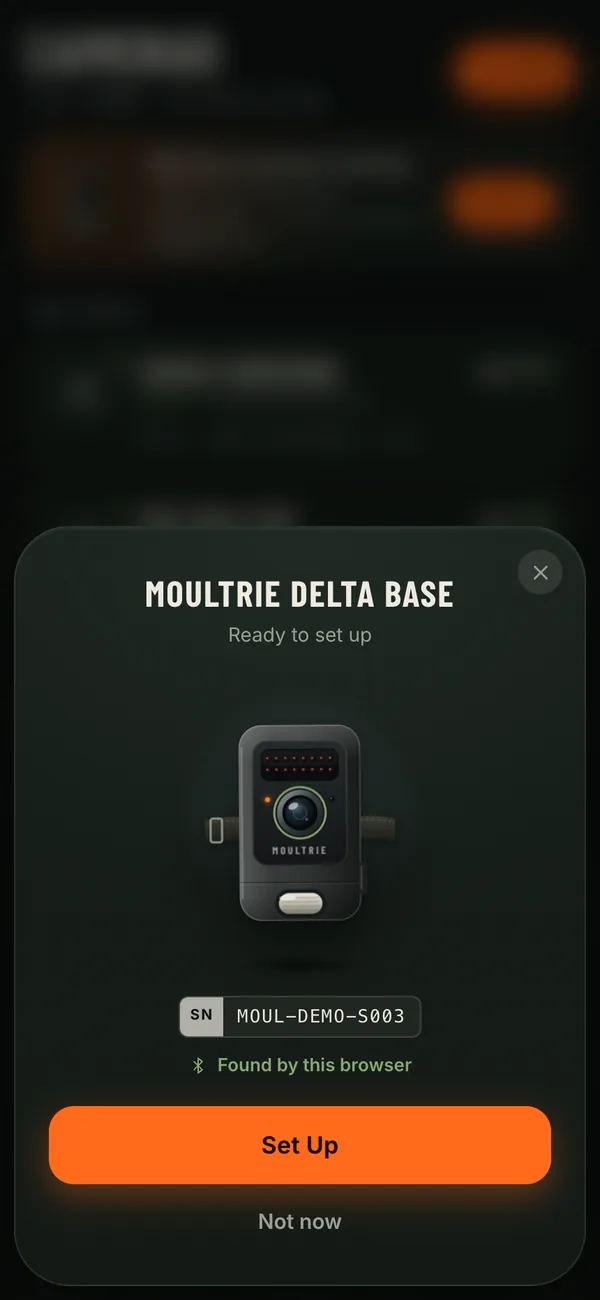
Setup that feels like pairing AirPods
Hold the phone near a new camera and a card slides up, already showing the right model. Three taps and it's online.
-
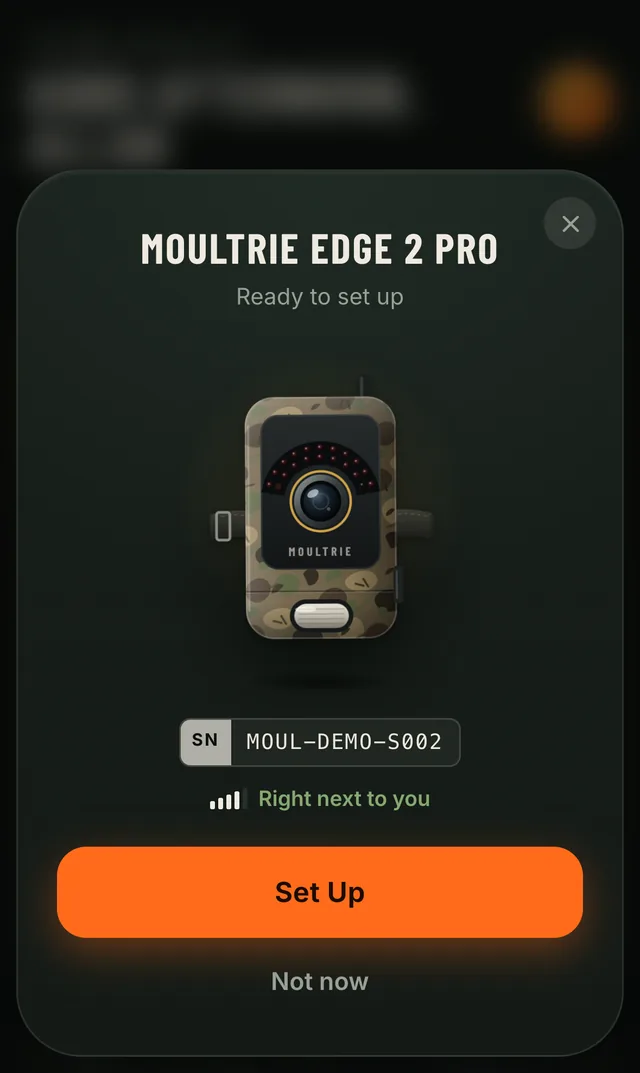
Found The card knows the model and how close it is.
-
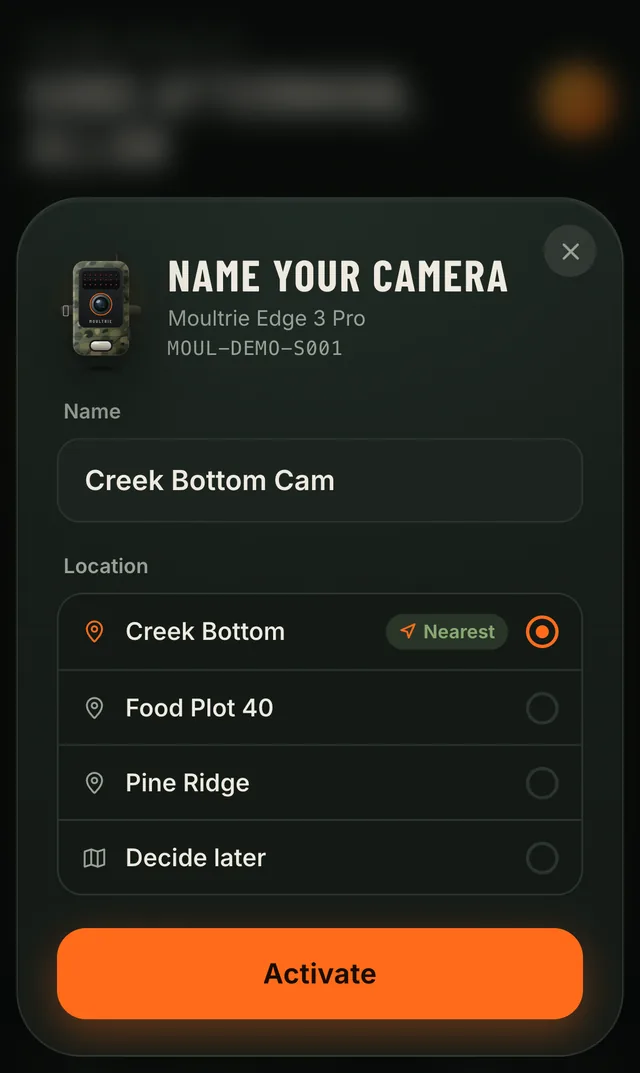
Named Pick a name and the property it watches.
-
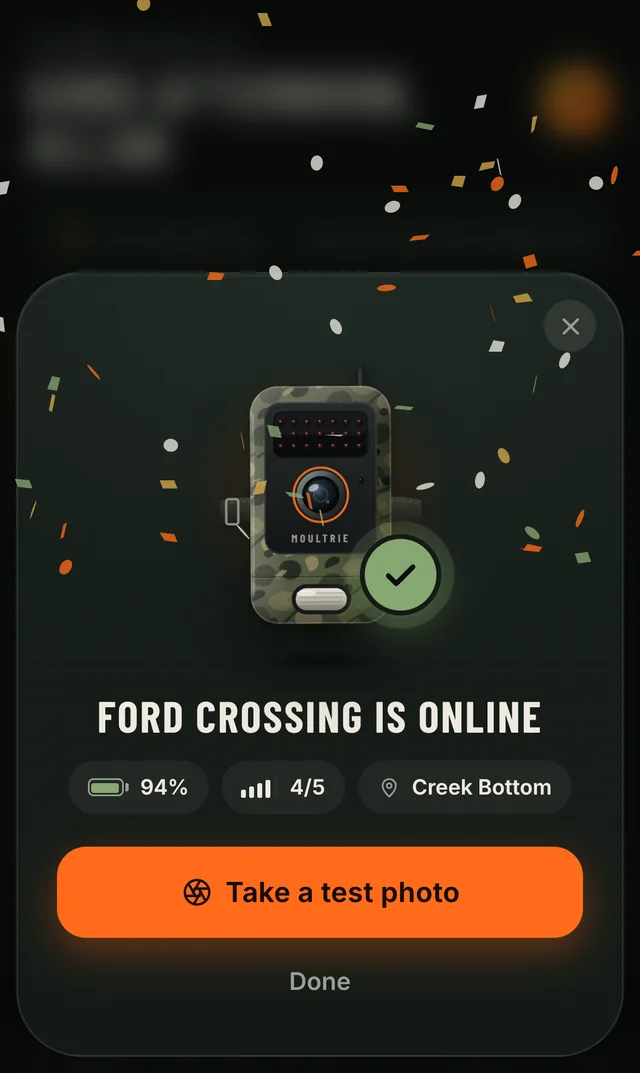
Online Battery, signal and a test photo, right there.
Works offline
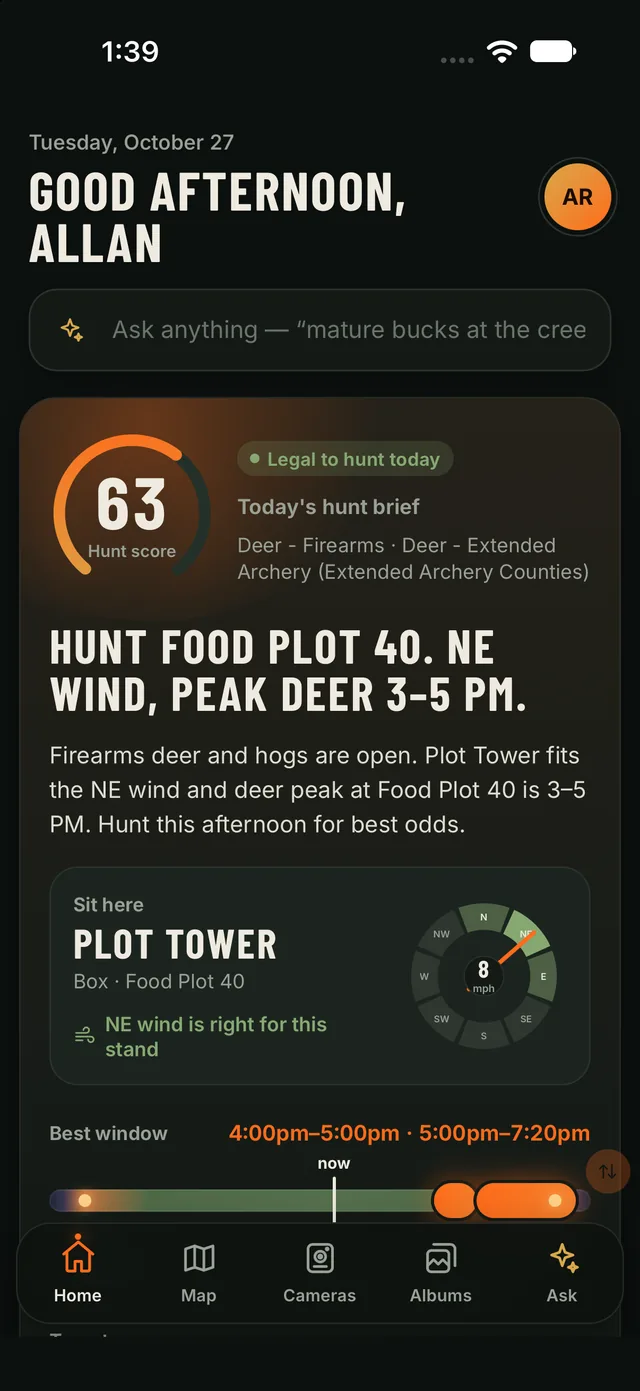
Deep in the timber with no bars, the hunter's map, stands, brief and recent photos are already on the phone. Anything they do is queued and sent when signal returns, and the app says plainly when it's showing the last sync.
- Photo from the phone's store
- 3ms
- Home without signal
- 5ms
Median, with no network at all
Median read of the last sync
Offline maps
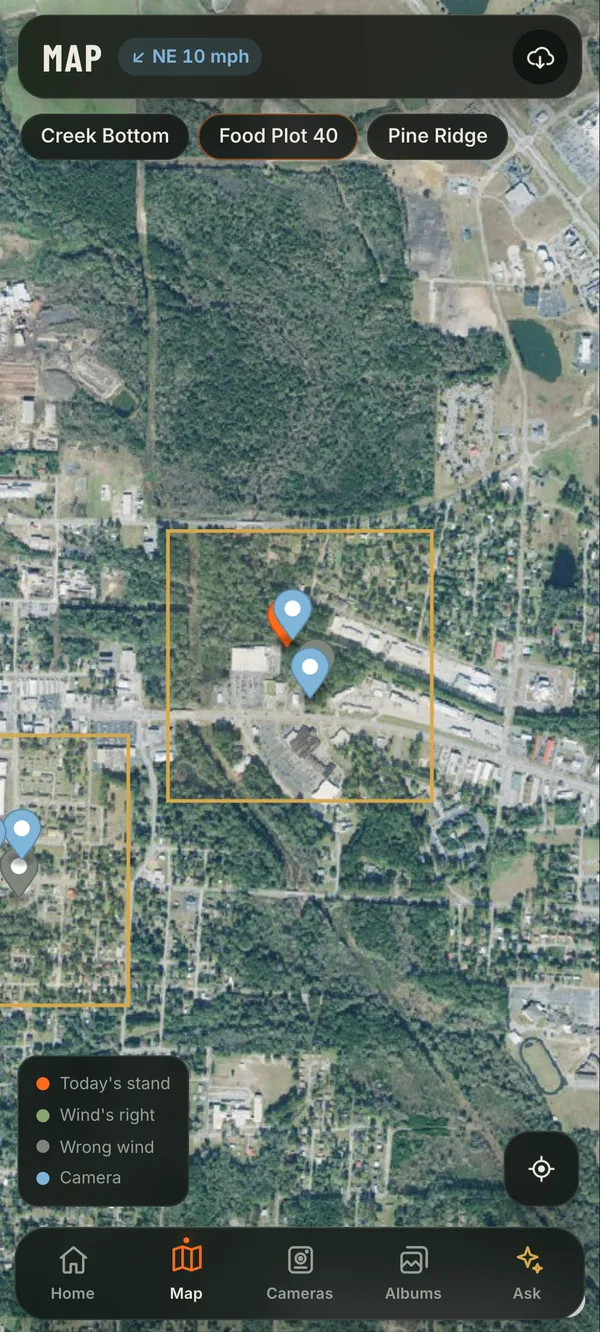
Download your property before you head out. Property lines, stands, camera pins, wind guidance and your live location all keep working deep in the timber with no bars at all.
Maps arrive as signed map packs from Fieldsign's own servers, and each one is verified on the phone before it's used.
- A whole county's map
- 3.1MB
- Signal needed
- 0bars
Colquitt County, GA, down to street level
Map, stands and your location, all on the phone
One app on web and mobile
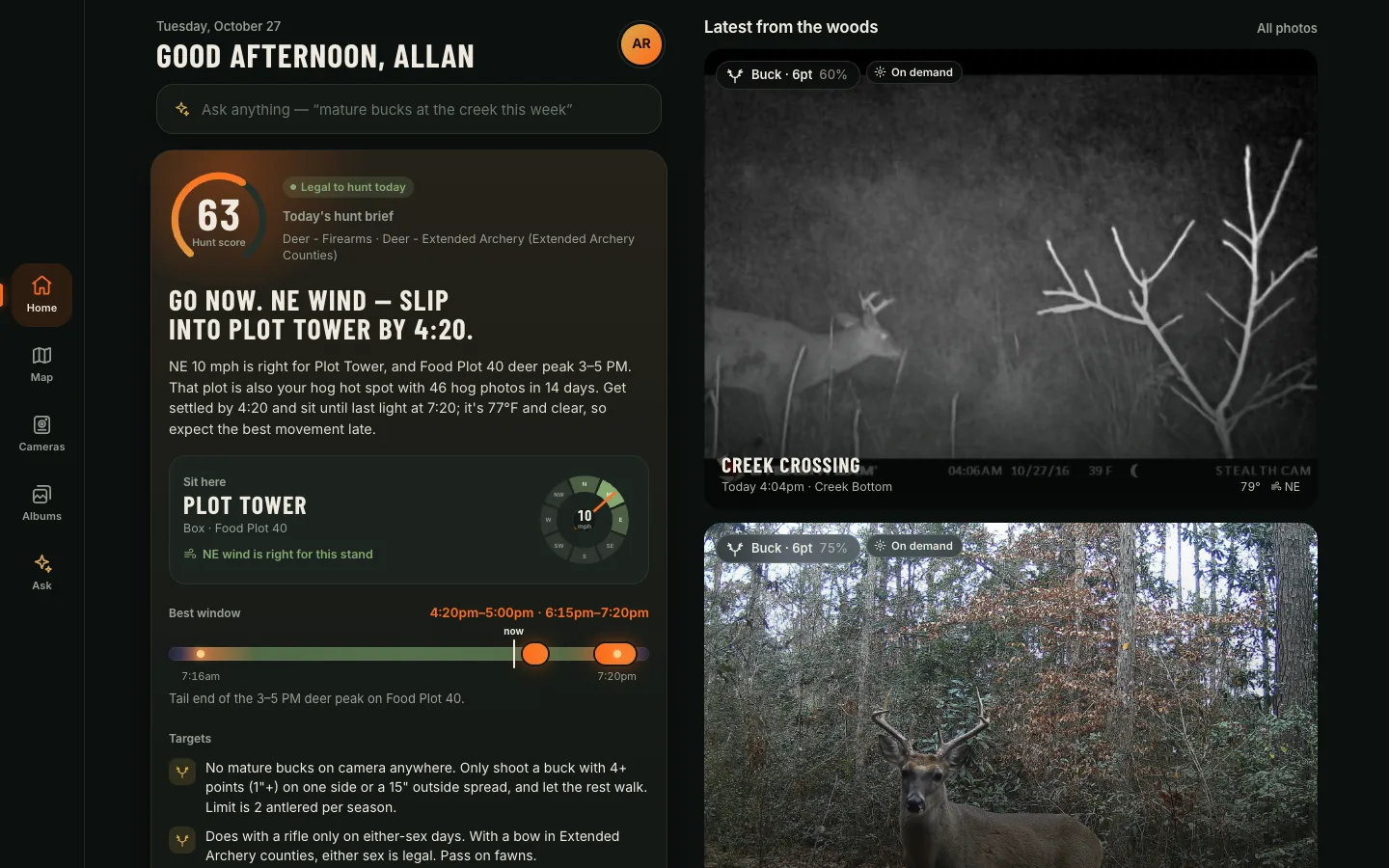
The same app runs in a browser and inside the iPhone and Android apps: one codebase, one design, one team shipping it.
In Chrome, the web app can even set up a new camera over Bluetooth, straight from the page. No install needed.
Consistent on every device
One rendering engine, so the app looks and behaves the same on every phone.
Design once, test once, and the same screen ships to iOS, Android and the web.
Ship updates in minutes, not weeks
Updates reach iOS and Android users directly, within App Store and Google Play rules, without a full review cycle for every change. Every release is signed, verified on the phone, and can be rolled back with one command.
Features ship when they're ready, with far less feature-flag juggling. New native capabilities still go through the stores.
$ publish-webapp.sh --required --notes "New brief layout"
Signed 1.0.3 · live on the stable channel
- Publish to on screen
- <25s
- Restarts or reinstalls
- 0
- To roll back
- 1command
App already open, iPhone and Android
The running app switches over
Re-ships an earlier build, no rebuild
Watch the demos
Every one is the real app running against its real backend, with the camera simulator standing in for hardware.
The demo list loads from videos/videos.json. Open this site through a local web server (see README.md) to see it.
Built on real, working code
This isn't a prototype in a design tool. The app screens on this page are screenshots of the running software, and its core flows are exercised by automated tests on every platform it ships to.
Proved by 335 automated tests
- 94End-to-end tests in Chrome drive the real app the way a hunter does: typed sign-in, the Hunt Brief and its evidence, AI search, photos and filters, saved searches, camera setup, Ask, offline sync, foldable and dual-screen layouts, and the server's API.
- 44UI tests on the real native app (MAUI DevFlow) on the iOS simulator and the Android emulator: sign-in, the brief, photos, every tab, capture-now reaching a camera, the setup sheet, offline mode, Siri/Gemini functions answering from the live brief, and an over-the-air update arriving without a reinstall.
- 197Unit tests for the AI (photo analysis, Hunt Brief rules, legal light, wind-to-stand matching, Georgia seasons), offline sync and its outbox, the Bluetooth and Wi-Fi camera protocols, and the watch.
The camera simulator
Every demo on this page ran without a single physical camera. The simulator behaves like the real hardware end to end:
- A Mac becomes a camera. It advertises over Bluetooth and announces itself on Wi-Fi, in setup mode until it's activated, exactly as a new camera would.
- Real activation. The phone sets it up, the camera registers with the cloud, then checks in on its schedule.
- Real camera behavior. It uploads photos, answers capture-now, installs firmware updates, and reports battery, signal, storage and temperature.
- Factory reset. One click puts it back in setup mode, so a demo or a test can run again.
- A whole fleet in the cloud. A server-side simulator runs a property's worth of cameras that call home and upload photos around dawn and dusk, with two weeks of history for the AI to analyze.
- Demo cameras in the app. Simulated cameras can "walk up" to the phone, so the setup card appears on cue with no extra device.
A modern, actor-based cloud
Every camera and every hunter lives in the cloud as its own Microsoft Orleans actor, with its own state, schedule and memory. A camera that goes quiet raises its own offline alert. A hunter's brief is kept right where it's used. It scales efficiently, holds up under load, and keeps the cloud cost per camera low.
- Server killed mid-load, back in
- 3.2s
- Slowest failed request
- 36ms
- Camera state after the crash
- 100%
- Cloud state per camera
- ~1KB
From kill -9 to fully serving, with a prompt restart
Calls fail fast during an outage; nothing hangs
Every camera's data and reminders survived
Small enough to hold a very large fleet